 Olu
Best Online Art Communities for Sharing, Feedback and Friends
The best online art communities, grouped by what they are good for: portfolios, critique, learning, jobs and friends. With AI-art rules and how to get feedback.
Updated 19 November 2026 · 8 min read
On this page
- What makes a good online art community
- The best online art communities at a glance
- Portfolio communities: ArtStation, Behance, Dribbble and Cara
- Big general communities: DeviantArt, Instagram and Tumblr
- Critique and learning communities
- Smaller, friendlier communities
- How to get useful feedback on your art
- How to pick an art community
- Small-circle feedback: swapping works in progress one-to-one
- Staying safe and protecting your work
Making art alone at a desk is normal. Never showing it to anyone is where people get stuck. An online art community gives you somewhere to post, people who understand what you're trying to do, and, if you pick well, feedback that makes the next piece better.
But "art community" covers very different places: portfolio sites, huge galleries, blunt critique forums and small chat servers. This guide groups the best ones by what they're good for, notes each one's rule on AI-made art, and explains how to get useful feedback.
The short answer: for a professional portfolio, use ArtStation (games, film, illustration) or Behance (design and illustration). For a big general community, DeviantArt. For honest critique, r/learnart and r/ArtCrit on Reddit, WetCanvas (traditional media) and Polycount (game art). For a portfolio site that keeps AI images out, Cara. For a small, friendly circle, Doodle Addicts, a Discord server, or a one-to-one swap of works in progress with another artist.
Swap a work in progress with an artist abroad
What makes a good online art community
No single site does everything well. Most are strong at one or two of these:
- Portfolio: a clean page that clients and studios can browse.
- Critique: people who tell you what isn't working, and why.
- Learning: tutorials, challenges, prompts, other people's process.
- Jobs: job boards, "open to work" settings, commissions.
- Community: regulars you get to know and grow alongside.
Many artists use two: one for finished work, one for work in progress.
The best online art communities at a glance
| Community | Best for | Rule on AI-made art |
|---|---|---|
| ArtStation | Pro portfolio for games, film, illustration; jobs | Allowed, must be declared; hidden by default |
| Behance | Design and illustration portfolio | Allowed; tag the tools used |
| Dribbble | UI, graphic design, illustration; client work | Wholly AI-generated work not allowed |
| Cara | Artist portfolio and social feed | Not allowed as portfolio work |
| DeviantArt | Huge general community, every style and level | Allowed; label required on AI work you sell |
| Reddit (r/learnart, r/ArtCrit, r/Art) | Critique, learning, exposure | r/Art bans it; check each subreddit |
| WetCanvas | Traditional media critique | Check current forum rules |
| Polycount | 2D and 3D game art critique | Check current forum rules |
| Doodle Addicts | Drawing challenges and prompts, smaller crowd | Check current site rules |
| Discord servers | Real-time chat with regulars | Set by each server |
AI rules are from each platform's own help, terms or guidelines pages in November 2026. They change often, so check before you post.
Portfolio communities: ArtStation, Behance, Dribbble and Cara
ArtStation is where much of the games, film and entertainment-art world shows its work: characters, environments, props and 3D. It has portfolio pages, a jobs section and a marketplace, and leans digital. Every creator must now say whether generative AI was used (primarily, mixed, or not at all), and its help centre explains that AI filtering is on by default, so declared AI work is hidden unless a viewer chooses to see it. Best for: studio jobs in games and film.
Behance, owned by Adobe, is a clean showcase for graphic design, branding and illustration, with a hiring side for clients. It's more showcase than conversation. AI-made projects are allowed if they follow its guidelines, and creators are asked to tag the tools they used. Best for: designers and illustrators who want clients to find them.
Dribbble started as invite-only and opened to everyone in 2021. It's mostly UI, product and graphic design, and agencies use it to hire. Its community guidelines say not to share content wholly generated by AI. Best for: design client work.
Cara is a newer portfolio and social platform made for artists. Its FAQ says AI-generated images are not allowed as portfolio work, and AI can be discussed only when clearly labelled. Uploads get "NoAI" tags by default, though Cara admits these can't stop every scraper. You can set an "Open to Work" status that recruiters filter by. Best for: a portfolio feed without AI images.
Big general communities: DeviantArt, Instagram and Tumblr
DeviantArt has been running since 2000 and is still one of the largest art communities online. Every medium, level and fandom is there, with groups, journals and comments. It's easy to post and hard to be seen. Join groups for your style or medium; that's where conversations happen.
DeviantArt allows AI-made work. Its terms say work made mainly with AI tools must carry the "Created using AI tools" label if you sell it on the site, and recommend the label for everything else. Deviations are opted out of AI datasets by default, and some groups set stricter rules of their own.
Instagram and Tumblr aren't art communities by design, but many artists build a circle there. Instagram reaches buyers and people who aren't artists; Tumblr is good for reblogs and fandom art. Feedback on both is mostly likes, so pair them with a critique space.
Critique and learning communities
Reddit: r/learnart, r/ArtCrit and r/Art
- r/learnart is for learning, with critique requests on studies, anatomy and perspective, plus a resource wiki. Beginners are welcome.
- r/ArtCrit is smaller and focused only on critique.
- r/Art is a huge gallery for exposure, not detailed feedback. It has a no-AI rule, which made the news in 2023 when a human artist was banned because a moderator thought their work looked AI-made.
Read each subreddit's rules first; moderators enforce them.
WetCanvas
A long-running forum, strongest for traditional media: oils, watercolour, pastel, drawing. It has an Open Critique Forum, a work-in-progress forum and a more formal Structured Critiques area. Quieter than Reddit, but replies tend to be thoughtful.
Polycount
A forum for game artists, with 2D and 3D Art Showcase & Critiques sections. If you want to work in games, people there will tell you plainly how your portfolio looks.
Older lists still recommend CGSociety, which shut down in January 2024, and the ConceptArt.org forum, which no longer loaded when we checked in November 2026.
Smaller, friendlier communities
Doodle Addicts describes itself as art, illustration and drawing for all. It has drawing challenges, prompts, artist spotlights and discussions, and welcomes sketchbook pages, not just finished pieces.
Discord servers give you real-time chat with regulars: daily sketch channels, critique channels, rooms for drawing together. The best are usually tied to something you already follow, like a course, an artist or a subreddit. Quality varies, so stay a week before deciding.
How to get useful feedback on your art
A few habits make real feedback much more likely:
- Say what it's for. "Portfolio piece for a games studio" gets different notes from "first oil painting".
- Ask one or two specific questions. "Does the lighting read as evening?" beats "thoughts?".
- Post work in progress. Notes are most useful while you can still change things.
- Give before you ask. Regulars notice who leaves honest critiques.
- Thank people, even for notes you disagree with. You can ignore a note later.
- Look for patterns. One person saying the hands are off is an opinion. Three is a to-do item.
How to pick an art community
- What do I want this month? A job, feedback, practice or company? Pick the place strongest at that.
- Where are people like me? Game artists on ArtStation and Polycount, painters on WetCanvas, designers on Dribbble and Behance.
- How do I feel about AI art? Cara and Dribbble keep fully AI work out, ArtStation hides declared AI work by default, and r/Art bans it.
- Can I be a regular? A small place where you post weekly beats a giant one where you post twice a year.
Try two for a month, one for finished work and one for work in progress, and drop whichever you never open.
Small-circle feedback: swapping works in progress one-to-one
Big communities are good for reach but poor at steady feedback, because each post meets a new crowd who doesn't know your goals or your last piece. Many artists get more from a small circle: one to three people who see each other's work every week or two.
How a 1:1 swap works:
- Find someone at a similar level, not necessarily in your medium. A comic artist and a ceramicist can still tell each other whether a piece works.
- Agree on a rhythm: one work in progress each, every week or two, same day.
- Say what notes you want: "just tell me if the story is clear" or "be harsh about the anatomy".
- Trade two or three notes each way: one thing that works, one that doesn't, one question.
- Follow up. "Did you fix the background?" is the most motivating sentence in a swap.
A partner outside your local scene brings a different eye.
Olu is a free text chat site for meeting people in other countries, in your browser, for adults 18+. Its Artists and makers planet is built around this kind of swap. The ritual is called Show your work: you swap works in progress with a member elsewhere in the world and trade honest notes. You can also answer a postcard another member left, like a question about what they do when they're out of ideas.
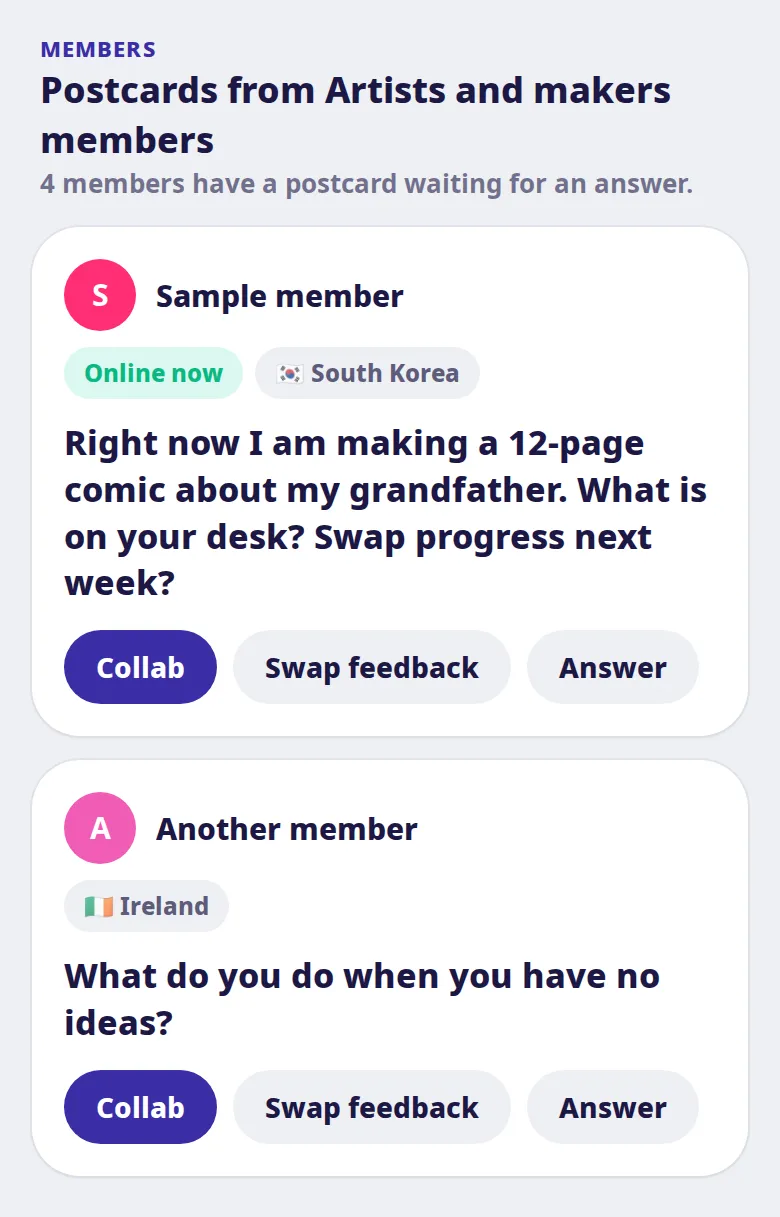 Example screen with sample members, not real people.
Honest details:
- It's text only. No voice, no video. It suits talking through ideas, process and notes. For detailed visual critique, post the image in a critique community too.
- Every message is translated both ways, with the original visible, so your partner doesn't need your language.
- It's a small community. At quiet hours, nobody may answer right away.
- Report and block are in every chat, and contact details are stopped before delivery.
If messaging a stranger feels hard, apps to make friends for introverts has lower-pressure ways in. If a swap partner becomes a friend, see make friends from other countries online, or keep it slow with an international pen pal.
Staying safe and protecting your work
- Be wary of "commissions" paid by cheque or that ask you to refund an overpayment. Real clients don't need money sent back.
- Never pay an account you don't know to "feature" you.
- Keep your address, phone number and workplace off public profiles.
- Turn on any AI-training opt-out the site offers, and post at a size you're comfortable with.
More tips for talking to people you meet online are in random text chat safety tips.
Questions people ask
+What is the best online art community?
It depends on your goal. ArtStation and Behance for a professional portfolio, Dribbble for design, DeviantArt for a big general community, r/learnart, r/ArtCrit, WetCanvas and Polycount for critique, and Doodle Addicts or a Discord server for a smaller, friendlier circle.
+Which art communities don't allow AI art?
Cara does not allow AI-generated images as portfolio work, Dribbble's guidelines say not to share work wholly generated by AI, and r/Art has a no-AI rule. ArtStation and DeviantArt allow AI work but ask you to declare or label it. Rules change, so check each site's current guidelines.
+Where can I get honest feedback on my art?
In critique spaces: r/ArtCrit and r/learnart on Reddit, WetCanvas's Open Critique Forum, and Polycount's 2D and 3D critique sections for game art. Say what the piece is for, ask one or two specific questions, and critique other people's work too.
+Is DeviantArt still active?
Yes. DeviantArt is still running in 2026 and is one of the oldest and largest art communities online. It allows AI-made work, but AI work offered for sale must carry the 'Created using AI tools' label.
+How do I find other artists to swap work in progress with?
Find one or two people at a similar level in a community you already use, comment on their work for a few weeks, then suggest a regular swap: one work in progress each, every week or two, with two or three honest notes each way. Olu's Artists and makers planet is built around this kind of swap, by text.
Keep reading
Boarding pass · free
Tap, fly to a random country, and chat with someone who lives there.
Text first, translated both ways, no video, no coins to meet people. Works in your browser.
Take off on OluNew here? Read Ablo App: The Complete Story of the Chat App That Let You Fly Anywhere (2019–2022), the full history in one place.