 Olu
Games to Play With Two People Online: 30 Ideas for Any Device
Games to play with two people online: chat games for any app, free browser games, turn-based phone games and PC or console co-op, with honest price notes.
Updated 19 November 2026 · 8 min read
On this page
Being apart doesn't mean you can't play together. A friend in another city, a sibling abroad or someone you met online last week can be your opponent or your co-op partner tonight, as long as you pick a game that suits how you're connected and what you both own.
This list groups games to play with two people online by what you need: games that work in any chat, free browser games, phone games, and PC or console co-op. For each one you get the platform and an honest note on price, so nobody finds a paywall halfway through.
The short answer: with nothing but a chat, play 20 questions, would you rather or two truths and a lie. For a free game in the browser, try Lichess, papergames.io or skribbl.io. On phones, Words With Friends or Wordfeud let you take turns all day. For a proper co-op night on PC or console, It Takes Two and Split Fiction need only one copy thanks to the Friend's Pass. If you don't have anyone to play with, game communities and interest groups can help you find a partner.
Find someone to play with tonight
How to pick a game for two
Three questions decide it:
- Are you live or taking turns? If you're both free right now, play live. If you're in different time zones, a turn-based game (chess by correspondence, a word game) lets each of you move when you can.
- What do you both have? A chat game needs nothing. A browser game needs a link. A console game needs both of you on a platform that supports it, and usually at least one copy.
- Talk or type? Some games are much better on a voice call. Others work fine in text.
Chat games for any messaging app
These need no download and no account beyond the chat you already use. They work in text, in any language, and across any time difference.
- 20 questions. One person thinks of a thing, place or person. The other gets 20 yes-or-no questions to guess it.
- Would you rather. Take turns asking hard choices: "Would you rather always be 10 minutes late or 20 minutes early?" Explain your answers; that's where the conversation is. Hypothetical questions has a long list to start with.
- Two truths and a lie. Say three things about yourself. The other person guesses the lie. Great with someone you've just met.
- This or that. Rapid choices: tea or coffee, beach or mountains, morning or night. Go fast, then ask about the most surprising answer.
- Story building. Write a story one sentence each. Rule: you can't undo the other person's twist.
- Fortunately, unfortunately. A story variant. One line starts "Fortunately...", the next "Unfortunately...", back and forth.
- Emoji guess. Describe a film, song title or country using only emoji. The other person guesses.
- Word association. Say a word. The other replies with the first word it makes them think of. Stop after 20 and trace how you got from "rain" to "pizza".
- Categories. Pick a letter and a category ("countries starting with M"). Take turns until someone runs out.
- Hot seat. One person answers any question for five minutes, no skipping. Hot seat questions has questions sorted from light to deep.
- Riddles. Swap your best riddle. Bonus: ask for a riddle from the other person's country and language. 12. Guess where. Describe a place you've been without naming it: weather, food, sounds. The other person guesses the city.
- Rank it. Name five things (snacks, films, school subjects). Both rank them, then compare.
- Never have I ever, friendly version. Keep it clean and about experiences: "Never have I ever missed a flight."
For quieter moments, questions to ask your friends turns any chat into a real conversation.
Free browser games
Open a link, share it, play. Prices and features were checked on each site in November 2026; they can change.
| Game | What it is | Price model |
|---|---|---|
| Lichess | Chess. Send a "play with a friend" link | Free, open source, no ads |
| papergames.io | Classics: Battleship, Connect 4, Tic Tac Toe, Gomoku, Checkers, Reversi, Dots and Boxes, Mancala and more. Share a link to invite a friend | Free with ads |
| skribbl.io | One draws, the others guess the word. Create a private room and share it | Free |
| GeoGuessr | Guess where in the world a street view photo is | Limited free play; Pro needed to host private parties (friends join free) |
| Board Game Arena | Hundreds of board games in the browser, live or turn-based | Free account; Premium unlocks some games and extras |
A few notes:
- Lichess is the easiest start. No ads and no paywall. If one of you is new, the stronger player can give a time handicap.
- papergames.io is good for mixed ages and moods. Short games, nothing to learn.
- skribbl.io is more fun with three or more, but two works if you both like drawing badly.
- GeoGuessr is a good pick with someone abroad. They'll spot their own country in seconds, which is half the fun.
Mobile games you can play turn by turn
Turn-based phone games suit friends in different time zones. You move when you have a minute, they move when they wake up.
- Words With Friends (Zynga). A crossword-style word game. Free to download on iOS.
- Wordfeud. Another crossword-style word game, free on iOS and Android. You can have up to 30 games going at once.
- Lichess app. The same free chess, with no ads, on your phone.
- Chess, checkers or word games in your chat app. Some messaging apps have built-in games; check yours.
Avoid "free" phone games built around coins, spins or betting. They're designed to make you spend, and many are gambling in all but name.
PC and console co-op games for two
These cost money, but several are designed for exactly two players. Details are from official store pages in November 2026; check the store for your own platform.
| Game | Platforms | Why it works for two | Price model |
|---|---|---|---|
| It Takes Two | PC and consoles | A co-op adventure made only for two players | Paid; Friend's Pass lets the owner invite a friend online for free |
| Split Fiction | PC and consoles | Two writers stuck in their own stories, co-op only | Paid; Friend's Pass, crossplay with a free EA account |
| Portal 2 | PC | A separate two-player co-op campaign of puzzles | Paid |
| Overcooked! 2 | PC and consoles | Run a chaotic kitchen together | Paid |
| Keep Talking and Nobody Explodes | PC and others | One sees the bomb, the other reads the manual and talks them through it | Paid for the bomb player; the manual is free at bombmanual.com |
| Minecraft | PC, consoles, phones | Build or survive together in your own world | Paid; Realms is a paid subscription for a private server that friends join free |
Two tips:
- Check crossplay before you buy. If one of you is on PlayStation and the other on PC, make sure the game supports it.
- Keep Talking and Nobody Explodes needs talking. It works by voice call. In text it turns into a slower, funnier game.
How to find someone to play with
Sometimes the problem isn't the game. It's that your friends don't play, or they're asleep when you're free. Options:
- Friends far away. The person you used to play with at school may be one message away. Pick a chat game first; it's an easy restart.
- Game Discords and subreddits. Most big games have an official Discord with "looking for group" channels. Hazelight, the studio behind It Takes Two and Split Fiction, runs one where players look for partners.
- Post a clear request. Game, platform, region, time and the mood: "Portal 2 co-op, PC, EU evenings, first playthrough, relaxed." Specific posts get better answers.
- Interest groups. Joining a group of people who already play makes the first message easy, because you already have something to talk about.
Stay safe playing with strangers
- Text chat first, in the game or the community, before adding someone anywhere else.
- Keep your real name, address, school or workplace private.
- Never share account logins, and never send money, gift cards or in-game items to someone you've just met.
- Leave, block and report anyone who pushes for personal photos or details.
Find a player on the Gamers planet
Olu is a free text chat site for meeting people in other countries, in your browser, for adults 18+. Its Gamers planet has a ritual called Squad up: you say the game, your platform and when you're free, and players in other time zones answer. If you want to play right now, you post an LFG now request, which stays open for two hours. Members also leave postcards, short questions that people in other countries pick up and answer.
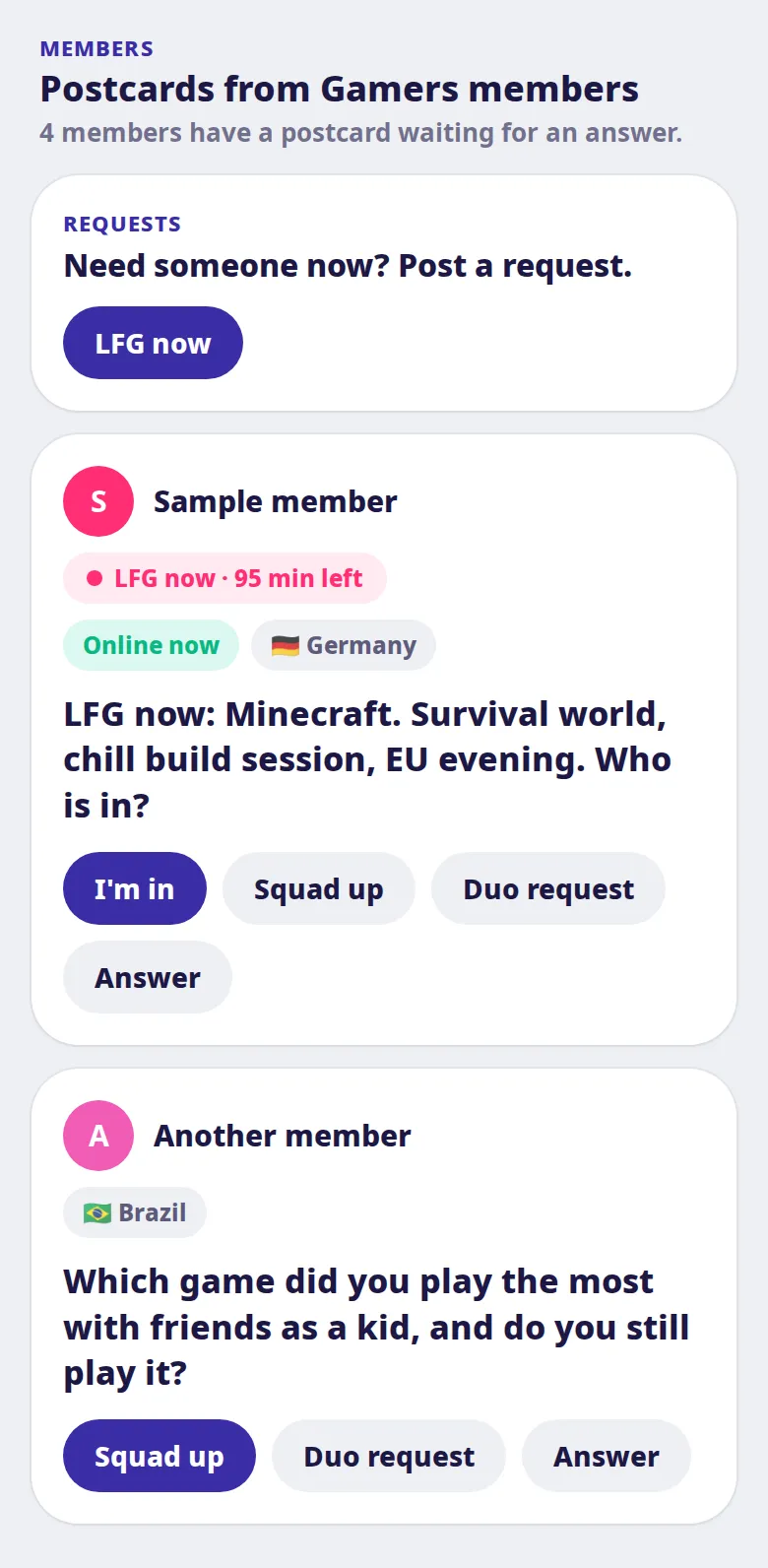 Example screen with sample members, not real people.
Honest details:
- It's text only. No voice, no video. Every chat game in this article works there as it is.
- Every message is translated both ways, with the original visible, so you can play 20 questions with someone who speaks another language.
- Contact details are stopped before delivery, so it's a place to meet players and talk, not to swap personal details.
- It's a small community. At quiet hours nobody may answer your LFG request right away.
- Report and block are in every chat. No ads, no paid plan, no in-game purchases.
A simple game night plan for two
- Agree a time that works in both time zones.
- Start with a 10-minute chat game to warm up.
- Play one main game: a browser game if neither of you owns anything, a co-op game if you do.
- End with two quick questions: "What should we play next time?" and "Same time next week?"
A regular slot is what turns a one-off into a habit, and a game partner into a friend.
Questions people ask
+What games can two people play online for free?
Chat games like 20 questions, would you rather and two truths and a lie are free in any messaging app. In a browser, Lichess (chess) is free with no ads, papergames.io has free classics like Connect 4 and Battleship with a share link, and skribbl.io is a free drawing and guessing game with private rooms. Words With Friends and Wordfeud are free to download on phones.
+What games can you play over text?
20 questions, would you rather, two truths and a lie, this or that, story building one sentence at a time, emoji movie guess, word association, categories (name a fruit starting with B), hot seat questions and riddles. None of them need anything except a chat.
+What are good co-op games for two people online?
It Takes Two and Split Fiction are built for exactly two players, and both have a Friend's Pass so only one of you needs to buy the game. Portal 2 has a two-player co-op campaign, Overcooked! 2 has online co-op, and in Keep Talking and Nobody Explodes one person defuses a bomb while the other reads a free manual.
+Do both players need to buy It Takes Two or Split Fiction?
No. Both games have a Friend's Pass: the player who owns the game can invite a friend to play online for free. Check the store page for your platform, since crossplay and account rules differ.
+How do I find someone to play games with online?
Start with friends who are far away, then try the official Discord server or subreddit of the game you play, which usually has a looking-for-group channel. Say the game, platform, region and time you're free. Text chat first, keep personal details private, and never send money or account logins to anyone.
Keep reading
Boarding pass · free
Tap, fly to a random country, and chat with someone who lives there.
Text first, translated both ways, no video, no coins to meet people. Works in your browser.
Take off on OluNew here? Read Ablo App: The Complete Story of the Chat App That Let You Fly Anywhere (2019–2022), the full history in one place.